About
Why does the Wi-Fi drop in the bedroom? Where should the router go? Is the mesh node in the right place? Walk through your home once and Roomwave answers on a map of your rooms. Your first three homes are free, remeasured as often as you like.
DEAD ZONES, ON THE PLAN
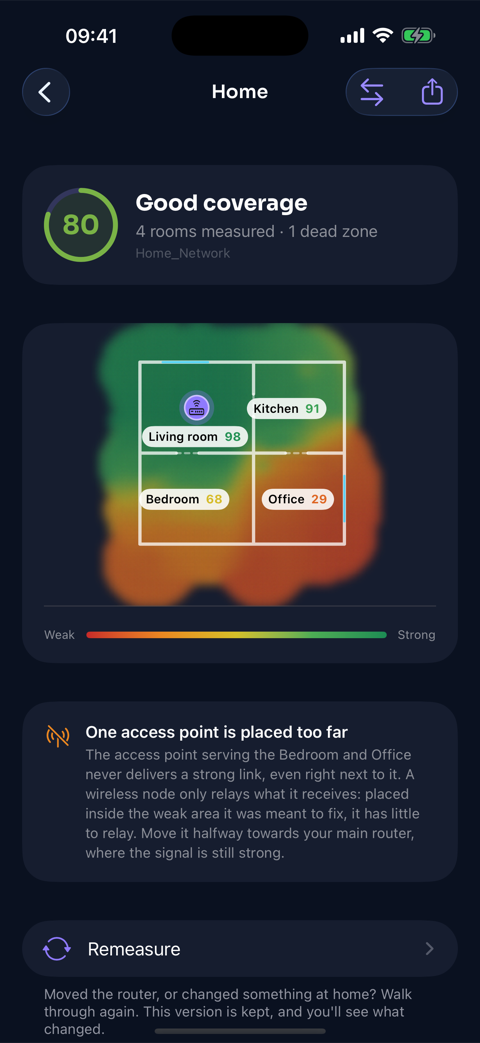
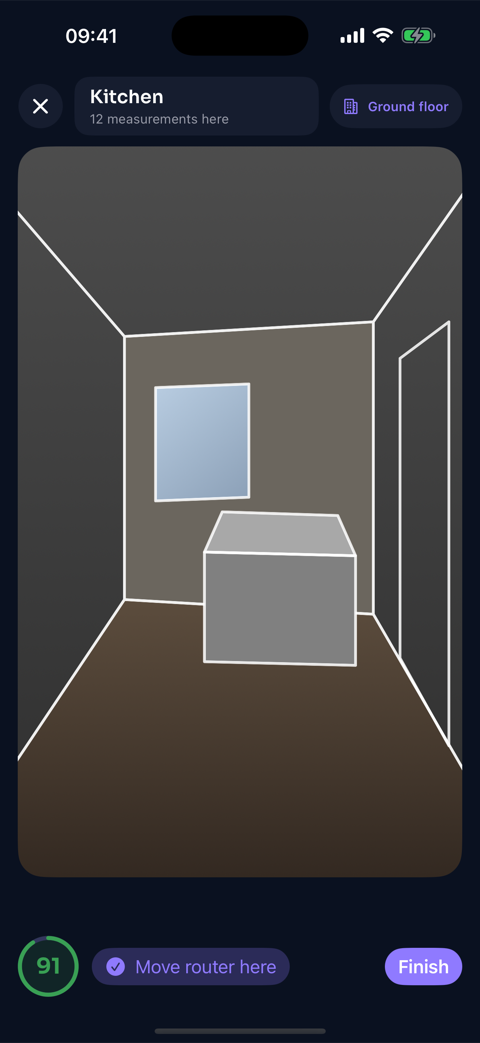
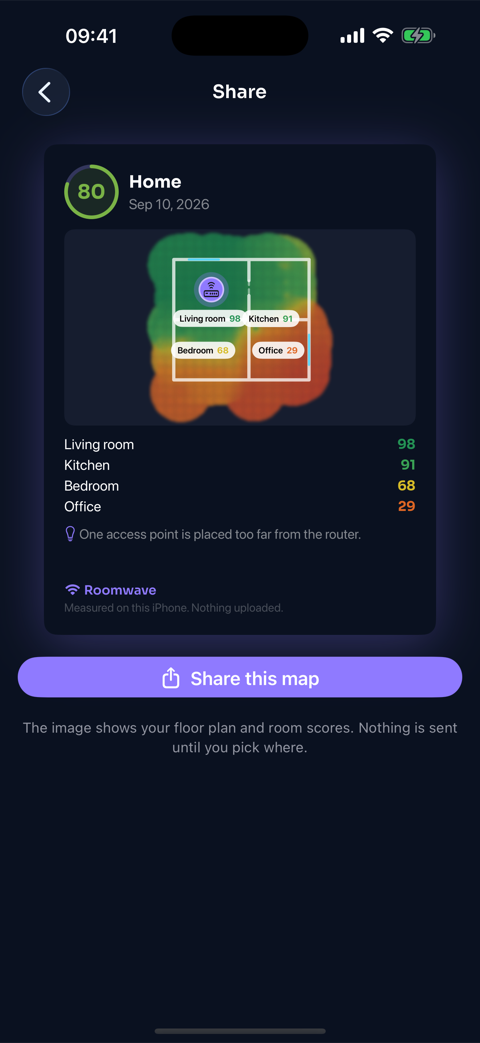
Hold your iPhone in front of you and walk. Every step is measured and painted on the plan: green where a video call holds, amber where it starts to stutter, red where nothing works. On an iPhone with LiDAR the walls are drawn and split the map into rooms by themselves. Several floors are supported.
CAN THIS ROOM HANDLE A VIDEO CALL?
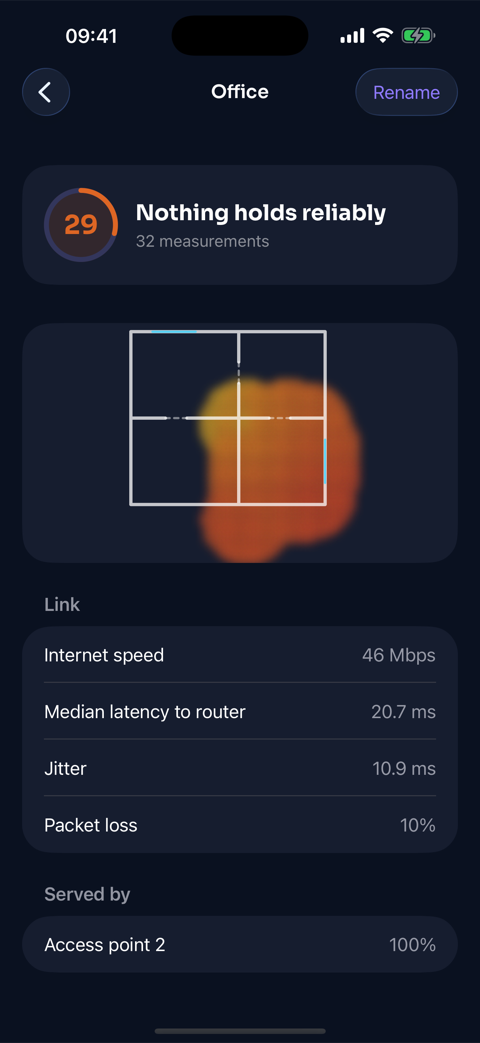
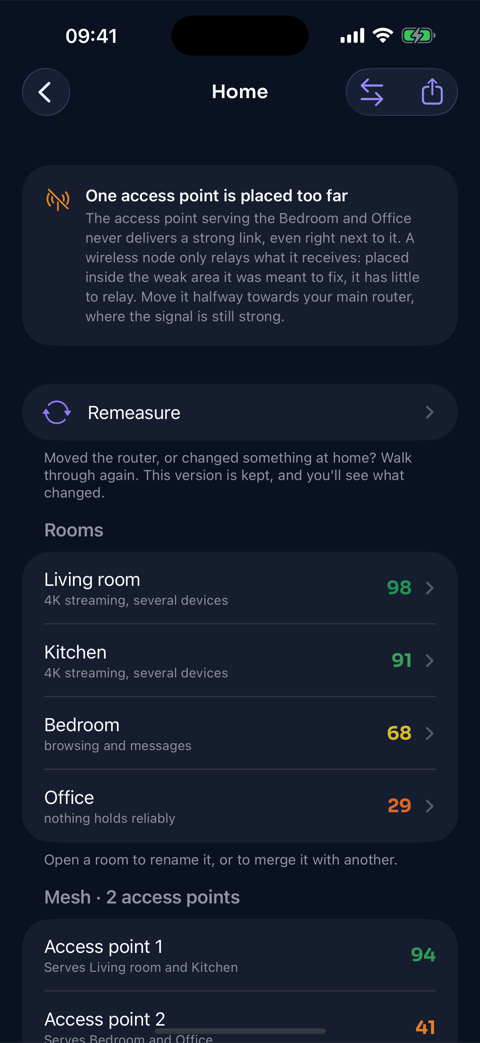
Every room gets a score from 0 to 100 and says what it really supports: 4K streaming, video calls, browsing, or nothing reliable. An office at 29 is a call that freezes. Each score is a median over many seconds on the link to your router, never one lucky reading: walk the same room twice and you get the same answer.
WHERE TO PUT THE ROUTER
When most of your home is weak, the router is off-centre and the map shows where to move it. When only one corner drops, moving the router just moves the hole: Roomwave points to where an extender still gets a strong link.
MESH NETWORKS AND EXTENDERS
Several access points? See which one served each room. Roomwave tells you when a node sits too far from the router to relay anything useful, and when your iPhone stayed stuck on the far one.
MOVED IT? MEASURE AGAIN
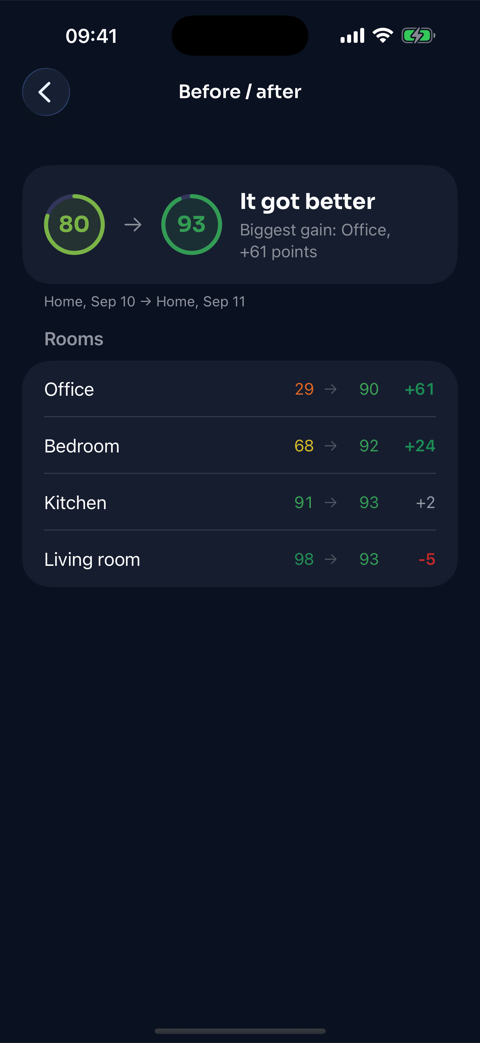
Tap Remeasure and walk again. Before and after sit side by side, room by room: the office went from 29 to 90. A remeasure is a new version of the same home and never uses one of your free homes.
SHOW WHOEVER CAN FIX IT
The map becomes an image for your internet provider, your landlord or the family chat. Nothing is sent until you pick where.
INTERNET SPEED, IF YOU WANT IT
An optional speed test shows your megabits room by room. It never enters the score: it measures your internet plan as much as your Wi-Fi. Turn it off and the survey stays entirely inside your home network.
WHAT IS FREE
Three homes, complete: the scan, the map, room scores, advice, mesh diagnosis, before and after, and the map as an image to share. Remeasure them as often as you like. No account, no ads, no tracking: your surveys stay on your iPhone.
ROOMWAVE+
Survey every place you care about: the office, the family house, a flat before you sign the lease. Roomwave+ Yearly: $8.99 per year. Roomwave+ Lifetime: $17.99 once. Prices of the US App Store; the app shows your local price. Both include Family Sharing. The yearly subscription renews automatically unless cancelled at least 24 hours before the end of the period. There is no free trial: your first three homes are the trial. Nothing is removed if you stop.
Privacy: https://www.solodevfactory.com/roomwave/privacy/
Terms: https://www.apple.com/legal/internet-services/itunes/dev/stdeula/